
A practical, editable companion. Start with your own records, then compare the evidence with the guidance below.
A team spends half a day rebuilding a weekly report. Someone suggests automation. That may be a good idea, but the first question should be whether the report is worth rebuilding in its current form.
The fastest process isn’t always the right process
When routine work is painful, businesses often reach for new software. Yet duplicated data, unnecessary approvals and unclear ownership can’t always be fixed by connecting more tools. Sometimes the best improvement is eliminating a step or using a feature that already exists.
A six-part improvement checklist
- Name the outcome. What should the task accomplish for a customer, employee or decision-maker?
- Watch the actual work. Follow one recent request through every step, including the exceptions people usually leave out of a flowchart.
- Find the source of truth. Which system or person holds the authoritative information? Where is it copied?
- Count the cost. Measure frequency, time per repetition, rework and delays without treating all employee time as cash savings.
- Simplify before automating. Remove steps that don’t create value, standardize necessary inputs, and clarify ownership.
- Test with a real exception. A process that works only for ideal cases isn’t ready to scale.
Know what you’re measuring
Three different outcomes deserve different names. Time saved is capacity your team can use elsewhere. Cash saved requires an actual reduction in expense. Quality improved may mean fewer mistakes, better customer communication or shorter delays. They are all valuable, but they should not be combined into one inflated number.
Investigate a real quoting workflow
Check whether open estimates can be found in the existing sales system before maintaining another spreadsheet. Document the status definitions, ownership rules and authoritative records. A more useful report or small process improvement may solve the problem without purchasing another application.
Use the time savings calculator to estimate how much capacity is tied up in a repetitive task. For help evaluating the workflow, see Business Process and Efficiency Consulting.
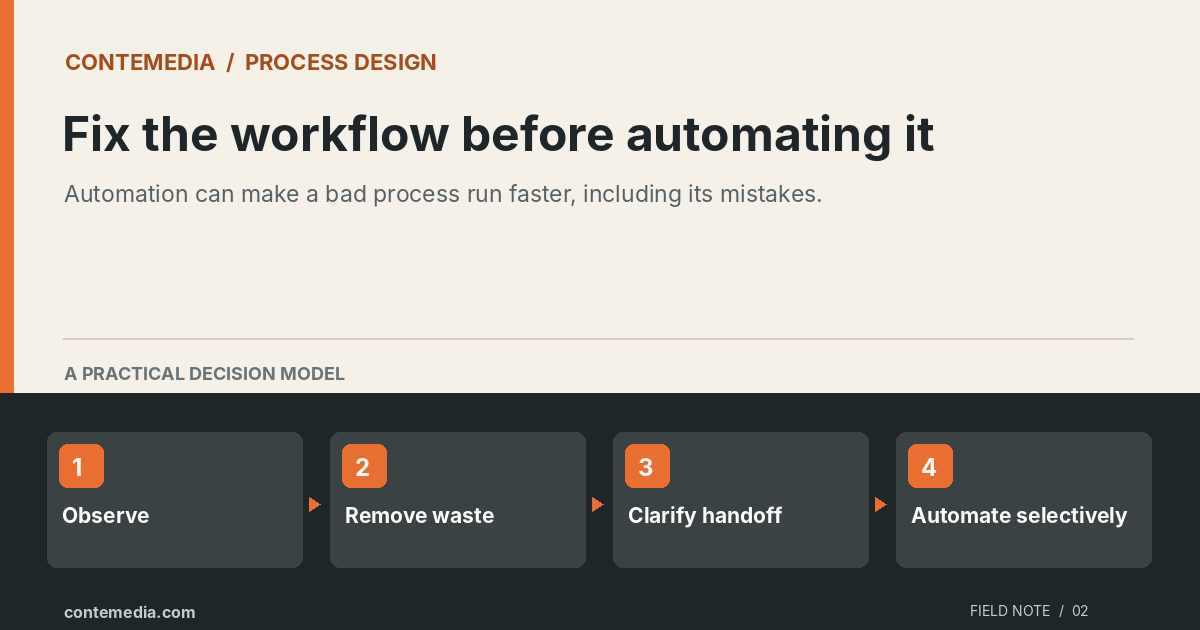
Fix the workflow before automating it
Automation can make a bad process run faster, including its mistakes.
What to examine before changing the process
A process that depends on an undocumented exception, duplicate entry, or uncertain approval will not become reliable merely because software moves the data. Start by walking real transactions and identifying where the work waits, fails, or gets repeated.
Illustrative case: 50 purchase requests require a manager to correct missing information on 18 forms. A form automation that simply emails the manager faster does not address the missing fields. A required intake checklist and clear rejection reason may remove the rework before any integration is built.
Measure the change, not just the activity
Measure total elapsed time, active handling time, rework percentage, error types, exceptions, and cost per completed case. Separate capacity freed from actual payroll reductions or verified financial savings.
Where the interpretation can go wrong
Do not use the fastest happy-path transaction as your benchmark. Examine exceptions, handoffs, and recovery when the system is unavailable.
Four checks before committing resources
- 01
Draw the actual workflow as people perform it, including the exceptions and spreadsheet workarounds. The documented standard operating procedure may not describe what happens on a difficult Tuesday when the responsible employee is absent.
- 02
Sort every delay into waiting for information, waiting for a decision, doing work, repairing an error or moving data. Each category suggests a different fix and may require a different owner.
- 03
Assess a smaller intervention before buying a system. Required fields, a shared queue, better roles or a dashboard might eliminate most of the frustration without introducing another dependency.
- 04
Before scaling automation, deliberately test incomplete requests and system outages. A sustainable process lets the team see and recover a failure; one that silently drops an exception is not improved.